
















Table of Contents
- • Nero Software Review Summary
- • About Nero Software
- • Other opinions about Nero Software
- • Overview of Nero Software
- • Nero Software Review
- • Nero Platinum Suite 2026 Review
- • Nero Software Pros & Cons
- • Software Features
- • Subscription and Licensing
- • Nero Software Return Policy
- • Nero Software Digital Delivery and Access
- • Nero Contact Information
- • Where to buy Nero Software?
- • Conclusion of Nero Software reviews & ratings
Nero Software Review Summary
Nero Software is a multimedia software suite that generally serves users needing integrated tools for disc burning, video editing, and AI enhancements. It tends to offer a broad range of features combining legacy functions with modern capabilities, but may face performance and interface critiques. Overall, its role is that of a mid-tier, all-in-one solution with mixed user experiences regarding speed and design.
Highlights
- Suitable for users seeking comprehensive multimedia management
- Includes tools for video editing, AI upscaling, and backup
- Balances extensive features with slower performance and dated UI
- Overall score: 7.2/10 reflecting breadth and some limitations
In the broader multimedia software category, Nero provides a wide scope of capabilities, though alternatives may better serve those prioritizing speed or minimalism. For more details, review the Nero Software review for a balanced perspective on its position among competitors.
About Nero Software
Managing digital media often requires multiple tools for burning discs, editing videos, and organizing photos. Users face challenges finding a single solution that covers all multimedia needs without switching between applications. Efficiency and cost become concerns when handling diverse media tasks separately.
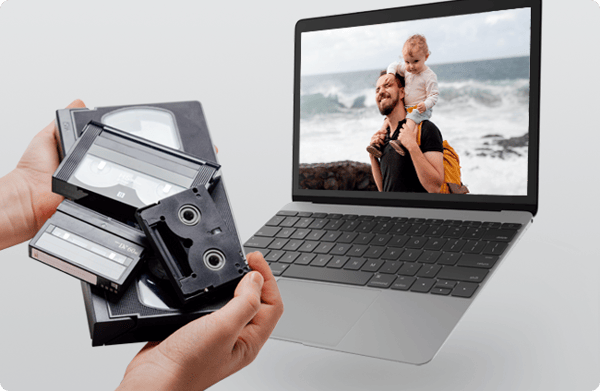
Nero Software offers a comprehensive multimedia suite that integrates disc burning, video editing, photo management, AI enhancements, backup, and PC tuning tools. It operates primarily on Windows and positions itself as a mid-tier option combining traditional features with modern AI capabilities for everyday users and professionals. Nero Software serves those looking for an all-in-one package rather than specialized standalone apps.
The brand enjoys recognition through millions of installations worldwide and features in reviews from sources like PCMag and user platforms such as Trustpilot and G2. Its recent 2026 update added AI tools and improved software integration, though feedback highlights trade-offs between broad functionality and system resource demands. Nero Software maintains a loyal base despite mixed opinions on performance and interface design.
This suite fits users who prioritize multimedia breadth and affordable pricing with integrated AI, but it may not meet needs for fastest processing or a streamlined interface. Performance can feel slower versus specialized editors, balancing features with usability. For further details and user perspectives, visit the Nero Software review.
Overview of Nero Software
Nero Software is a software brand originating from Germany, specializing in multimedia software suites. Its products cover disc burning, video editing, media management, AI upscaling, backup, and PC tuning tools. Nero Software serves a wide range of digital media needs primarily for Windows users.
The company operates by developing, marketing, and supporting multimedia software products sold via direct online channels. Its offerings include suites such as Nero Platinum Suite and individual applications like Nero Burning ROM and Nero Video. Distribution is managed through digital downloads and software activation on the Nero Start platform, with localized versions for global markets including the United States.
Nero Software’s distinct characteristics include integrated AI tools for image and video upscaling that run locally without cloud dependency, reliable disc burning with encryption, and support for backup to various cloud services. The brand maintains a mid-tier position with millions of installations worldwide, a redesigned 2026 suite version, and a 30-day money back guarantee on official purchases. User feedback and reviews are mixed but emphasize its comprehensive feature range and budget pricing balance, as noted in multiple Nero Software Review sources.
Nero Software Review
Nero Software is a well-established brand specializing in multimedia solutions with a focus on disc burning, video editing, and AI-enhanced media tools. Its offerings include integrated features for photo management, data backup, and PC optimization.

The brand provides a comprehensive suite that addresses diverse multimedia needs, combining traditional disc burning technology with modern AI-driven enhancements. Its products are designed to support a broad range of digital media tasks for Windows users, positioning Nero as a versatile multimedia software provider.
Nero Software Highlights- Disc burning with encryption support
- 4K and 8K video editing capabilities
- Local AI image and video upscaling
- Media management and backup tools
- PC performance optimization utilities
Nero Platinum Suite 2026 Review
Nero Platinum Suite 2026 is a multimedia software suite designed for Windows PCs that integrates disc burning, video editing, and AI-based enhancements. It serves as a comprehensive tool for users needing multimedia management in one package. The suite supports advanced features such as 4K and 8K multi-track video editing and local AI image and video upscaling.

The software includes robust functionality for disc burning with encryption, backup tools, and media editing capabilities. It allows users to handle a variety of tasks including disc copying, video production, and managing AI enhancements without cloud dependency. Nero Start acts as the central platform for software download and activation, ensuring streamlined access.
Priced at $44.95 USD, Nero Platinum Suite 2026 offers an accessible option for mid-tier users seeking extensive multimedia features. The product is available via digital download and activation directly from the official Nero website, providing a straightforward purchasing process. This suite balances broad multimedia capabilities with practical usability for Windows PC users.
Price $44 • nero.com
Nero Software Pros & Cons
Nero Software offers a comprehensive multimedia suite with reliable optical disc burning and advanced AI features like local image and video upscaling. It supports a broad range of tasks including 4K and 8K video editing, backup to multiple cloud services, and PC tuning, making it suitable for users needing all-in-one digital media management.
However, users should consider that the software has an outdated user interface and can be resource-intensive, resulting in slower rendering speeds compared to specialized editors. Additionally, the subscription model with automatic renewals has led to some user frustration, which may affect long-term satisfaction.
- • Reliable optical disc burning with SecurDisc encryption
- • Affordable multimedia suite with AI features
- • Local AI image and video upscaling without cloud dependency
- • Extensive photo, video, music editing, backup, and PC tuning tools
- • Backup supports multiple cloud services and external drives
- • 4K and 8K video editing support
- • Includes duplicate file detection and removal
- • Outdated user interface design
- • Slower rendering and performance compared to specialized editors
- • High resource usage due to software size
- • Subscription automatic renewals can cause frustration
Software Features
Nero's suite combines multiple multimedia tools on a single platform, including video editing, disc burning, AI enhancements, backup, and PC optimization. It uses the Nero Start platform for centralized software management, downloads, and activation, serving global users with localized websites. This approach supports a broad range of multimedia tasks within one integrated environment.
Key features include multi-track video editing with 4K and 8K support, AI-based local image and video upscaling, secure burning of CDs, DVDs, and Blu-ray discs, and comprehensive backup options that cover both cloud and external drives. This integration is designed to save users time and expense by consolidating functions, although it results in higher resource consumption. The suite balances a wide feature set with performance considerations inherent in an all-in-one product.
Subscription and Licensing
Nero Platinum Suite provides both subscription and one-time purchase options. The subscription offers continuous access to updates and full-featured AI and PC tuning tools. One-time purchases include basic versions without updates. Software activations and downloads are handled through the Nero Start platform.
The subscription model features automatic renewal with no reported price increases and includes the latest AI tools and TuneItUp PRO. It is suited for users who want ongoing updates and new features. Choosing between subscription and one-time purchase depends on user preference for updates versus a single, static purchase.
Nero Software Return Policy
A 30-day money-back guarantee is available for purchases made through the official website. To qualify for this guarantee, customers must buy directly from the official site. This policy provides a limited period for customers to request a refund if needed.
No specific restocking fees or additional charges for returns have been disclosed. Detailed information about exclusions or conditions of the guarantee is not provided in the available material. Customers should refer to the official site for the most accurate terms.
Nero Software Digital Delivery and Access
Nero software is distributed globally through digital delivery, with localized website versions in the US and Bangladesh. The software is accessed exclusively via online platforms, with no physical products or shipments involved. Customers purchase and download the software directly from Nero's official website.
After purchase, users gain immediate access to the software and activation through the Nero Start platform. There are no shipping fees, physical packaging, or delivery times to consider. Activation and downloads are managed through the user's Nero account dashboard for convenience and instant availability.
Nero Contact Information
Users can access the official support resource through the Nero website. Support is available for issues related to orders, shipping, returns, billing, warranty, and technical problems.
If needed, users are encouraged to use these official channels to reach support. Note that direct phone, email, or live chat contact details are not publicly provided.
Where to buy Nero Software?
Nero Software is officially available for purchase through its website, where users benefit from a reliable account system and clear support access along with well-defined policy terms. Customers can expect straightforward digital delivery via the Nero Start platform and both subscription and one-time purchase options. While the official source ensures consistency and security, variations in marketplace offerings or offline availability are not detailed and may involve differing service or policy conditions. For further information, users can visit nero.com as referenced in Nero Software Review contexts.
Conclusion of Nero Software reviews & ratings
In the multimedia software landscape, Nero Software stands out for offering a comprehensive suite that balances legacy disc burning with modern AI-powered features. The platform’s strengths in reliable burning, integrated AI enhancements, and broad multimedia tools make nero.com a noteworthy option for many users seeking all-in-one solutions on Windows.
Those interested in exploring Nero’s capabilities can naturally find further insights in the Nero Software review to help form a well-rounded view. This review provides context that enables readers to revisit details as needed without rushing into decisions.
Editorial notes reflect aggregated buyer feedback and our independent editorial review of publicly available information. They are for informational purposes only and do not constitute endorsements. Purchases are made at your own discretion, and we are not responsible for transactions or outcomes related to this store. Experiences may vary. This content is assisted by AI and reviewed by our editorial team. While we strive for accuracy, AI-supported information may not always be 100% precise, so please verify any critical details.

